Curious about what makes an LCD writing tablet display your notes and erase them effortlessly? The secret is hidden in the liquid crystal layer inside the screen.
LCD writing tablets use a liquid crystal solution, commonly made from organic compounds called nematic liquid crystal, which changes orientation when pressure is applied—creating visible marks without ink or light.
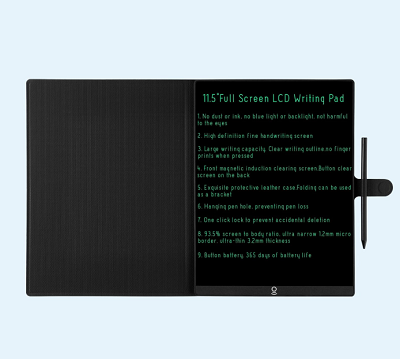 lcd writing tablet inside
If you’ve ever wondered how pressing a stylus reveals bright lines without batteries or messy refills, this special “liquid” is the hero. It’s neither watery nor oily, but a crystal-clear fluid engineered to react quickly, letting you write and erase thousands of times without needing ink or electricity for the display.
What is nematic liquid crystal, and why is it used?
Puzzled why plain water or oil wouldn’t work inside your tablet? Nematic liquid crystal isn’t just a liquid—it’s a material that responds instantly when pressed.
Nematic liquid crystal in LCD tablets behaves like a fluid but has a molecular order like a solid, making it sensitive to pressure and easy to reset with electricity, perfect for writing surfaces.
 nematic liquid crystal molecules
Most LCD tablets rely on nematic liquid crystals because they change their orientation when mechanical pressure is applied, making dark lines appear against the screen. When you press the erase button, an electrical pulse realigns these molecules, and the screen resets. Regular liquids would leak or not keep their shape—only nematic crystals can create and erase shapes so reliably.
| Liquid Type |
Used in LCD Tablets? |
Why/Why Not |
| Water |
No |
Evaporates, doesn’t keep shape |
| Oil |
No |
Too viscous, not responsive |
| Nematic Liquid Crystal |
Yes |
Reacts to touch, resets electrically |
Is the liquid in LCD tablets safe for kids?
Concerned about safety when your child drops or breaks a tablet? Manufacturers use sealed liquid crystal layers to prevent leaks or harm.
LCD writing tablets use non-toxic, sealed nematic liquid crystals that won’t leak under normal use. However, broken screens should be handled with care and kept away from children.
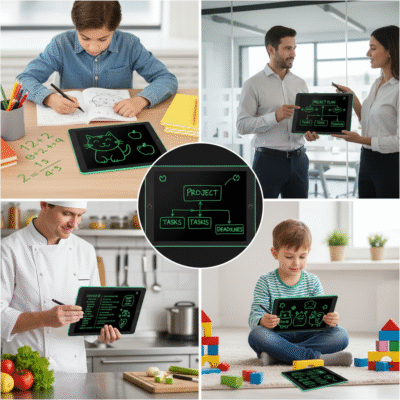 safe lcd tablet handling
Most tablets have protective casing and double layers to prevent spills or exposure. While nematic liquid crystals are generally considered safe, handling any broken electronic device should be done with caution—don’t let kids play with cracked screens, and dispose of damaged tablets responsibly.
| Risk |
With Intact Tablet |
With Damaged Tablet |
| Touch |
Safe |
Avoid direct contact |
| Ingestion |
Not applicable |
Seek medical advice |
| Disposal |
Standard recycling |
E-waste facility |
How does the liquid crystal work with the tablet electronics?
Wondering if the liquid does all the work, or if electronics help? The liquid crystal partners with a thin circuit for smooth writing and erasing.
The liquid crystal layer sits between transparent electrodes; writing appears as pressure disturbs crystals, and erasing happens when a pulse realigns them, powered by a battery.
 lcd tablet electronics flow
This teamwork means the tablet uses only a tiny battery—not to show what you write, but to erase. Writing is immediate, with pressure causing localized changes in the liquid crystal’s molecular alignment. The erase circuit sends a voltage through the crystal layer, resetting all molecules at once.
| Task |
Who Does It |
| Showing marks |
Liquid crystal (pressure) |
| Erasing screen |
Electronics (voltage pulse) |
| Power needed |
Only for erasing |
Conclusion
LCD writing tablets rely on nematic liquid crystal—a clear, safe fluid responsive to touch and reset by electricity—making writing, drawing, and erasing possible without ink or light.
