People who buy LCD writing tablets want to know if the screens lose clarity after months or years of use. Faded screens cause frustration and lead to replacement costs.
LCD screens can fade over time if the liquid crystal layer or film becomes worn out or damaged. Good quality screens usually keep their brightness and contrast for thousands of uses if you handle them properly.
 Do LCD screens fade over time
Many buyers ask about fading before buying in bulk. If you understand the causes, you can avoid early failure and save money. It is easy to notice when a tablet starts to show ghost lines or weaker display brightness.
What causes LCD screens to fade?
Tablet screens fade for a few simple reasons. This problem appears faster in low-end models and with harsh use.
The main causes are chemical aging of the liquid crystals, wear on the film surface, repeated tension from hard writing, and exposure to heat or sunlight. Batteries with weak current can also reduce screen clarity during erasing. Screens from brands that use tested materials and strict processes show less fading.
 What causes LCD screens to fade
Table: Main Causes of LCD Screen Fading
| Cause |
Screen Fading Effect |
What Helps Prevent It |
| Chemical aging |
Lower contrast |
Use certified screens |
| Surface damage |
Blurry marks |
Light, gentle writing |
| Extreme temperature |
Irregular display |
Store at room temperature |
| Battery weakness |
Incomplete erasing |
Change batteries regularly |
| Inferior materials |
Rapid fading |
Buy from reliable brands |
I find that brand managers who select tablets with CE or ISO certifications have fewer complaints about fading. When children write softly and tablets stay in mild conditions, the screens keep their clarity much longer.
How can you slow down LCD screen fading?
People often want tips for getting maximum life from each screen. I have seen classrooms use tablets for years with steady upkeep and simple care.
Write gently and avoid using any sharp tools or pens that might damage the film. Keep tablets away from hot windows or direct sunlight, and do not leave them in humid rooms. Change the battery as soon as erasing seems weak or uneven. Store the tablets in protective cases or bins when not in use. Buy proven products from trusted suppliers who test their screens for endurance.
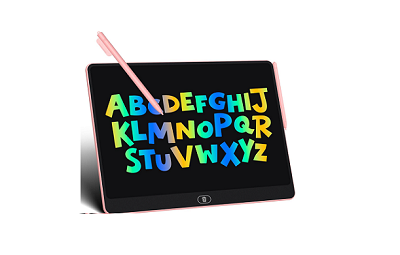 How to slow LCD screen fading
Table: Tips for Reducing LCD Screen Fading
| Method |
Effect On Fade |
Practical Advice |
| Light stylus pressure |
Protects film and crystals |
Train users early |
| Controlled environment |
Keeps display stable |
Store indoors |
| Regular battery change |
Improves erase power |
Annual maintenance |
| High quality purchase |
Longer, clearer screen |
Ask for certifications |
I share these tips with procurement managers and teachers. Most who follow them get more than two years of clear use without fading.
Are faded screens a sign of poor quality?
People sometimes wonder if fading means the product brand is not up to standard. Many clients who experience rapid fading ask for replacements and better guarantees.
Cheap screens fade faster because of weak liquid crystal formulas, thin film layers, and bad assembly. Top brands test for long-term clarity and use better materials. Fading can also happen with misusing the tablet or storing it badly. If fading appears soon after purchase, contact your supplier or consider changing brands.
 Are faded LCD screens poor quality
Table: Signs of Poor Quality Causing Fading
| Quality Issue |
Fading Symptom |
How To Respond |
| Thin liquid crystal layer |
Low contrast, ghost lines |
Request higher-grade tablets |
| Weak film |
Scratches, blurry marks |
Switch suppliers |
| Poor manufacturing |
Uneven display quality |
Choose certified brands |
| No quality certification |
Early fading |
Demand testing documents |
I have helped buyers fix fading issues by switching to suppliers who offer ISO or CE proof and tough testing routines.
Conclusion
LCD screens can fade over time because of chemical wear, physical damage, or poor quality. Smart buyers prioritize certified products and proper care to enjoy clear displays longer.
