Many buyers worry about extra costs and hassle. I remember wanting my child to start drawing instantly, but wondered if a computer was required to use a drawing tablet.
You do not always need a PC to use a drawing tablet. Simple LCD writing tablets work on their own with no computer required, while advanced graphic tablets need a PC, laptop, or compatible device to fully unlock their creative features.
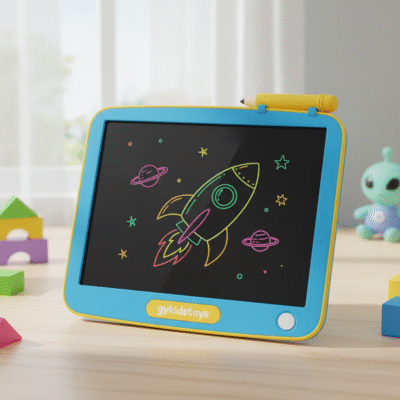 do i need a pc for drawing tablet
The details depend on which type of tablet you choose, and how you want to use it. Some are fully self-contained, and others are dependent on a computer. Let’s look at the categories so you know exactly what will fit your needs and budget.
What types of drawing tablets need a PC?
I made a mistake buying a drawing tablet that required a laptop when my goal was simple doodling for my family. Understanding this can save a lot of frustration.
Professional graphic tablets, like Wacom Intuos or Huion, need a PC or Mac to connect and work. These tablets have no built-in screen or software—they act as input devices for drawing software on your computer.
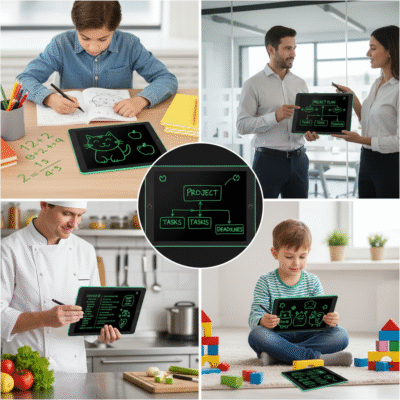 graphic tablet connected to pc
These graphic tablets send pen movements to your computer through USB or Bluetooth. Specialized software, such as Photoshop or Illustrator, is needed to turn pen and touch input into digital art. The tablet itself has no storage or independent display. Many advanced users like this, since computers offer powerful processing for complex art, layers, and effects.
Tablet types and PC requirement
| Tablet Type |
Built-in Display |
Needs PC/Laptop |
Example Use |
| Professional Graphic |
No |
Yes |
Digital illustration |
| Display Tablets |
Yes |
Often Yes |
Art, design |
| LCD Writing Tablets |
Yes |
No |
Doodling, notes |
If you want advanced digital art, choose a graphic tablet and prepare your PC for setup. For quick notes or kids, a standalone tablet works best.
Can I use a drawing tablet without a computer for art and notes?
I wanted a device my son could pick up and use right away. No charging cables, no software.
LCD writing tablets do not need a PC. They are standalone devices for quick sketches, notes, math, and casual drawing. Some have a one-button erase function and work instantly with no setup.
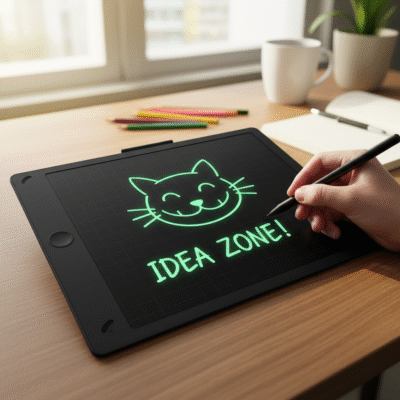 lcd tablet no computer
These tablets are powered by a small battery and respond to pressure from the stylus. There is no need for any connection to a computer, app, Wi-Fi, or Bluetooth. Some models feature lock switches, so drawings are not erased by accident. Others include partial erase options or app connectivity for storing work, but those are extras, not requirements. Their simplicity is perfect for classrooms, travel, and young children. If you want to share artwork digitally, you can take a photo of the screen or choose models with Bluetooth pairing.
Standalone vs. PC-dependent
| Feature |
Standalone LCD Tablet |
PC-dependent Graphic Tablet |
| Needs PC |
No |
Yes |
| Uses |
Notes, drawings, math |
Professional digital art |
| Setup |
Instantly ready |
Driver/software required |
| Sharing Work |
Photo of screen |
Direct file export |
All my family’s casual doodling is on standalone LCD tablets, no computer or cables required. For school art assignments or professional digital design, we use PC-connected tablets.
Are there tablets that can work with or without a PC?
For buyers seeking flexibility, the answer is yes. Some new models bridge the gap. I found this out when my teenager wanted art features on the go and at home.
Standalone display tablets (like certain iPad or Samsung Galaxy tablets) can run drawing apps by themselves. They do not need a PC, but can be connected to computers for more advanced work.
 tablet pc or standalone mode
Tablets with built-in screens, processors, and app access—such as iPads or Android tablets—let you run powerful drawing apps directly. You draw, save, and share with Wi-Fi or Bluetooth. If you want to keep working with Photoshop or add external monitors, simply plug the tablet into your PC and use it as a drawing surface. This mixed mode suits both mobile artists and those who want desktop power. Prices and features vary widely. Some tablets are digital sketchbooks on-the-go, and convert into full workstations at home.
Mixed-use tablet summary
| Tablet Type |
Use With PC |
Can Stand Alone |
Apps/Software |
Audience |
| iPad/Samsung Tab |
Optional |
Yes |
Many |
Students, artists |
| LCD Writing Tablet |
Not needed |
Yes |
No |
Kids, casual users |
I suggest buying a mixed-mode tablet if you want to grow your skills or switch between mobile and desktop art often.
Conclusion
Many LCD writing tablets work alone; professional graphic tablets need a PC. Choose the type that matches your drawing goals and daily habits.
