Looking for a tablet that gives you the real pen-on-paper feeling? Many electronic screens can disappoint with slippery or artificial feedback.
Tablets designed to feel like writing on paper include LCD writing pads, some e-ink tablets like the reMarkable, and a few iPad models paired with special screen protectors. Their surfaces offer more friction, mimicking the tactile touch of real paper.
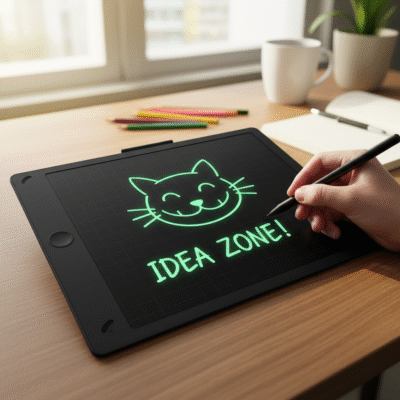 tablet feels like writing on paper
I have tested traditional writing pads, LCD tablets, the latest iPad, and dedicated e-ink writing slates in my work with product sourcing and development. I know that for many users—especially students, artists, and notetakers—the right “feel” is as important as features like battery life or screen size. Let me share how different tablets compare and what really works for people looking for that paper-like experience.
Do LCD writing pads feel like real paper?
If you’ve ever tried jotting a quick note on an LCD writing board, you might have been surprised by the sensation. I was too.
LCD writing pads usually offer a matte, slightly resistant surface that creates a closer feel to pen-on-paper compared to smooth glass screens. The friction is higher than on phones or glossy tablets, making it easy to control your strokes for handwriting or drawing.
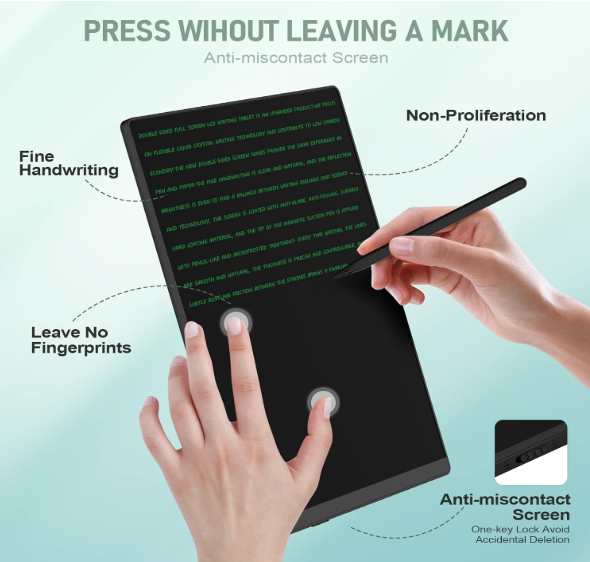 LCD writing pad feel
From my hands-on experience, LCD writing pads are simple but satisfying. You use a plastic stylus, and the texture reduces slipping. This helps kids learning to write, artists making sketches, or adults who want the comfort of a familiar feel. The screen does not need screen protectors or extra accessories. Although you do not get true pen pressure variation or color, you get a natural writing feel for most everyday uses—shopping lists, drafts, or practice writing.
| Tablet Type |
Writing Sensation |
Surface Texture |
Use Cases |
| LCD writing pad |
Paper-like, matte |
Medium friction |
Quick notes, sketches |
| Regular tablet |
Glassy, slippery |
Low friction |
Multi-use, apps |
| E-ink writing |
Paper-like, textured |
High friction |
Notes, reading |
Which e-ink tablets are best for a paper feel?
I tried a friend’s reMarkable 2 and compared it to my usual LCD pad. What impressed me most was how pen and screen “grip” felt so much like a real notebook.
E-ink writing tablets such as reMarkable 2, Boox Note, or Kobo Elipsa are designed with a textured, matte surface. Their styluses and special screens create extra resistance, making writing or drawing almost as smooth as on physical paper.
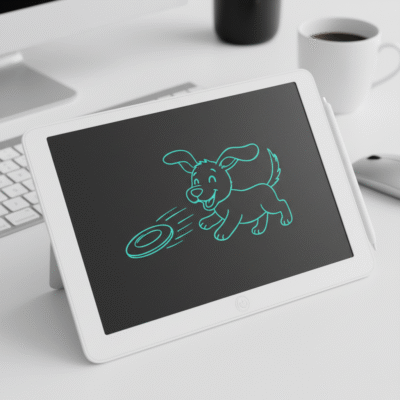 e-ink writing tablet paper feel
From my reviews and test sessions, e-ink tablets stand out for those who want to take handwritten notes, annotate PDFs, or sketch without distractions. The e-ink tech also reduces eye strain and works well under bright light. The reMarkable 2, in particular, won praise for “best paper feel,” because the stylus tip and the screen finish slow the writing just enough to be comfortable. The sound while writing is also similar to pencil on paper. The downside is that these devices can be pricey, but for professionals and students who write a lot, the immersion is real.
| Model |
Paper-Like Feel |
Price Range |
Extra Features |
| reMarkable 2 |
Excellent |
$$$ |
Note taking, cloud sync |
| Boox Note Air |
Very Good |
$$-$$$ |
Apps, open Android |
| Kobo Elipsa |
Good |
$$ |
Reading, annotation |
| LCD writing pad |
Good |
$ |
Simple, no storage |
Can regular tablets—like iPad—feel like real paper?
Many people own iPads or Samsung tablets but want to avoid slippery glass. I wanted to find out if a simple accessory could help.
iPads and similar tablets can mimic paper feel with a matte screen protector (for example, Paperlike or similar brands). These replace glass glare with a slightly rough surface, which increases friction and improves stylus control.
 iPad paper feel
After fitting a Paperlike protector for a week, I noticed that writing was less glassy and more controlled. My notes were clearer and sketches more detailed. The stylus tip wears down a little faster, but the trade-off is worth it for many. Note, though, that this is still not quite the same as a real LCD pad or e-ink feel, but it brings conventional tablets closer to the experience that writers and artists prefer.
| Method |
Paper Feel |
Cost |
Best For |
| Matte screen protector |
Better |
$-$$ |
iPad, Samsung tablet owners |
| Dedicated paper-feel tab |
Best |
$$-$$$ |
Heavy writers, artists |
| Raw glass (no add-on) |
Slippery |
$0 |
Casual, general use |
How do I decide which paper-feel tablet is right for me?
I have talked to buyers, teachers, and parents—all with slightly different needs. Making the best choice depends on how and where you plan to use the tablet.
If you want a simple, affordable, kid-safe option for notes and sketches, choose an LCD writing pad. If you want to store files, mark up PDFs, or write for hours with less fatigue, try an e-ink tablet. If you already own an iPad but want more control over your handwriting or art, try a matte texture screen protector first. Think about price, features, and who will use the device most.
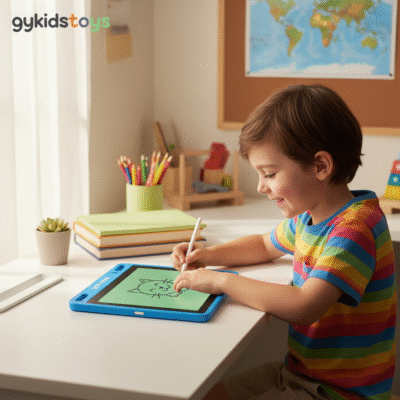 Choosing paper feel tablet
From my experience, buyers for schools, brands, or offices should sample several products. Ask for test writing, check for stylus comfort, and compare the erase function before placing bulk orders. Customization of LCD pads, or providing accessories for regular tablets, can also increase the value to end users in your local market.
| User |
Best Choice |
Price/Friction |
Main Advantage |
| Young students/kids |
LCD writing pad |
Low/$, Medium |
Safe, easy to use |
| Artists/writers |
E-ink tablet |
High/$$$ |
Feels most like paper |
| Tablet owners |
Matte protector |
Med/$ |
Cheap upgrade |
| Offices/gifts |
LCD pad or e-ink |
Low-High |
Eco, easy brainstorming |
Conclusion
The best paper-like writing feel comes from e-ink tablets (like reMarkable 2) and LCD writing pads. iPads with matte protectors can also work for everyday handwriting and drawing.
My Role
About gykidstoys
gykidstoys offers OEM/ODM LCD writing pads with a comfortable, paper-like writing feel, made for schools, brands, and retailers needing quality and custom designs with international certifications.
About Our Client
Our clients choose paper-feel writing tablets to enhance creativity, improve writing comfort, and meet eco-friendly purchasing and branding goals for education and retail markets.
