Feeling overwhelmed by all the choices for writing devices? Many people have bought tablets, laptops, or pads only to find the writing feels unnatural or typing tires their eyes. Picking the wrong tool causes frustration.
The device that’s best for writing depends on your specific needs, but e-ink tablets (like reMarkable 2), iPads with a stylus and Paperlike screen protector, and classic laptops rank highest for handwriting, note-taking, and typing. Each delivers smooth writing, easy edits, and dependable storage.
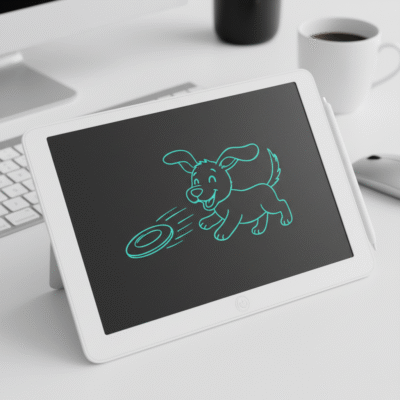 best writing device
I spent a year testing writing devices for kids, teachers, and everyday office use. I wanted something simple and reliable. Some screens felt too slippery, others fatigued my eyes. Through this experience, I learned what matters most: comfort, accuracy, long battery life, and quick saving. If you want to get the most out of your notes, stories, or sketches, examining how these devices work will help.
Is an e-ink tablet the top choice for handwriting?
Many creative users and professionals want to capture notes by hand but hate messy paper or digital distraction. How well does an e-ink tablet do the job?
E-ink tablets, like reMarkable 2 and Boox Note Air, offer the closest digital experience to writing on real paper. Their screen texture adds friction, and notes can be saved instantly or sent to the cloud.
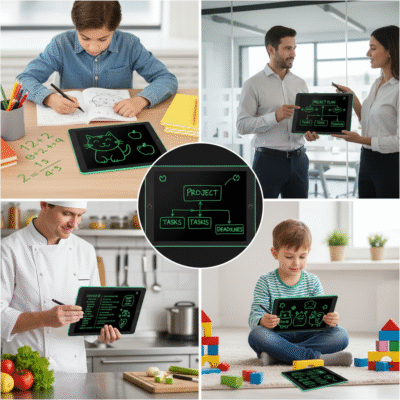 e-ink writing tablet
When I tested the reMarkable 2 for a week, the difference from glass tablets was clear. I could write full sentences without my hand sliding around. The device stored all my notes so I never lost ideas. Teachers love the distraction-free environment. Artists value the natural sketching. The battery lasts for days, and the screen works in bright light. There are fewer apps to distract, but sharing and editing notes is quick. Corporate buyers often want e-ink tablets for top staff or daily teaching. These devices are expensive, but they save time and keep everyone focused on writing.
| Device |
Paper Feel |
Battery |
Storage |
Price |
| reMarkable 2 |
Excellent |
Days |
Cloud/local |
$$$ |
| Boox Note Air |
Very Good |
Days |
Apps/cloud |
$$-$$$ |
Can a laptop be the best writing device for long texts?
Most writers and students use laptops to type, edit, and format work. Does a laptop beat other devices when writing long documents?
Laptops provide the fastest and most accurate typing experience for long-form writing. Their full keyboard, large screen, and editing tools support essays, reports, and stories without distractions.
 writing laptop
I use a laptop when writing articles or editing documents for clients. The tactile keyboard never lets me down. I can type for hours comfortably and edit every word. Software like Word or Google Docs helps me check grammar and save files fast. Laptops also connect to printers and the web, making them the go-to choice for business, school, or author work. Productivity apps improve focus. Touchscreens are available, but classic laptop keyboards fit almost every writing workflow. Laptops suit those needing speed, backups, or frequent editing. For teachers and office buyers, bulk discounts make laptops affordable for classrooms or teams.
| Device |
Typing Speed |
Editing |
Portability |
Price |
| Laptop |
Highest |
Best |
Medium |
$$-$$$ |
Does an iPad with stylus help with both handwriting and digital writing?
Tablets have become popular for writing, drawing, and school work. How useful is an iPad paired with Apple Pencil and Paperlike film?
iPads combined with Apple Pencil and a matte Paperlike screen protector allow smooth handwriting, quick sketches, and precise editing. Top note-taking apps make organizing writing fast and easy.
 iPad handwriting
I give iPads to students and professionals who want flexible writing tools. The Apple Pencil makes notes feel clear and accurate, while the Paperlike protector boosts screen friction so handwriting is smooth. Apps help save, search, and share notes. I can switch between handwriting and typing without changing devices. For drawing, iPads offer extra colors and brush types. Battery life is good, but not as long as e-ink devices. Price is higher, especially with accessories. For classrooms, iPads bring versatility, and brands can custom load educational apps. These setups suit anyone who wants digital notes with natural writing feel.
| Device |
Handwriting Feel |
Editing |
App Support |
Price |
| iPad + Pencil |
Good |
Good |
Excellent |
$$$ |
What about LCD writing pads for kids or simple notes?
Many parents and teachers look for affordable, low-tech writing solutions. Is an LCD writing pad enough?
LCD writing pads allow quick, paper-free sketching or note-taking with instant erasing. They are best for casual use by kids or adults, especially when storage or sharing is not needed.
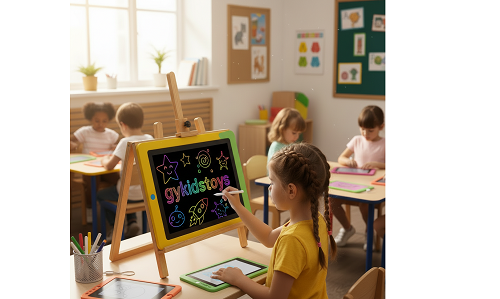 lcd writing pad writing device
My daughter uses an LCD writing pad for math practice and doodles. She can erase her work with one button and start again. The pads are light and last months on a single battery. For homework checks, simple lists, or classroom brainstorming, they fit in anywhere. There is no need for chargers or complicated apps. Storage is local (or you snap a picture of the screen), so it is not ideal for long notes. These writing pads are easy to clean and safe for kids. Retailers buy them in bulk for gifts, school packs, or stores. They provide an eco-friendly way to learn and play.
| Device |
Storage |
Erasing |
Price |
User |
| LCD pad |
Manual/none |
Instant |
$ |
Kids, home |
Conclusion
E-ink tablets, laptops, iPads with stylus, and LCD pads each serve different writing needs. Choose the device that fits your comfort, budget, and workflow best.
