Shopping for digital art devices can be overwhelming. Many people get stuck when brands use “graphic tablet” and “drawing tablet” for different products. This creates confusion and slows down buying decisions.
A graphic tablet is a pen-input device without a screen, used with a computer; a drawing tablet usually has an integrated display, allowing you to draw directly on the screen. Some people use both terms for various products, so checking the specs is important.
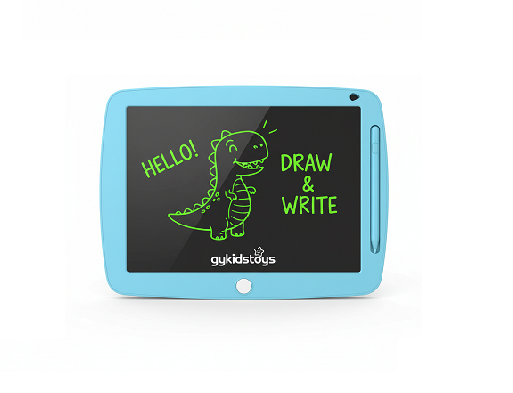 graphic tablet vs drawing tablet
When I first started buying art technology for school projects and for my own work, I found myself confused by the options online. The names and functions blur together, but each type solves a different need. Understanding the difference helps buyers, teachers, and parents select the right tool easily.
Does a graphic tablet always need a computer to work?
People hope for plug-and-play devices but find themselves surprised when some tablets need computers and some don’t.
A graphic tablet always needs a computer. You draw with a pen on the tablet surface, and your marks show up on the computer screen, not on the tablet itself.
 graphic tablet connect to PC
When I set up art workshops, the classic models needed USB connections and drivers. The tablet itself shows nothing, like a blank pad. Your hand draws shapes but you look up at the monitor to see results. This suits graphic designers and students who want a low-cost, precise stylus input. But it can frustrate beginners or kids who want direct feedback.
Deep dive: Key features and pros of graphic tablets
Graphic tablets suit users who prefer working with a monitor and want high precision. They keep costs low but require some learning for hand-eye coordination. Let’s break down the main features:
| Aspect |
Graphic Tablet |
What it Means for Users |
| Display |
No |
Requires a monitor |
| Input method |
Stylus (no touch) |
Feels like pen on plastic |
| Connection |
USB or Bluetooth |
Needs external device |
| Price |
Affordable/Entry level |
Good for students, beginners |
| Ideal users |
Designers, students |
Budget-focused |
I noticed most design colleges still train on these tablets first. They teach accuracy and cost, but there is a learning curve. Some children get distracted because they want to see their drawing appear where they touch.
Can a drawing tablet work without a computer?
Many customers prefer tablets that can work anywhere, want portability, and dislike desk clutter from wires. Simplicity is important for school, home, and travel.
Many drawing tablets have screens you can draw on directly, with some models even working without a computer—like the iPad Pro or certain Android-based devices.
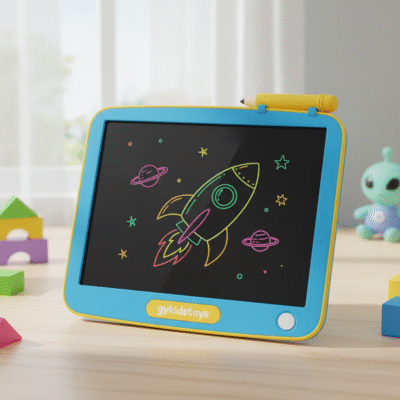 drawing tablet direct drawing
In my product research and client visits, I see more people buying “display tablets.” These include such as iPad Pro with Apple Pencil. You draw just as you would on paper—the stylus creates marks exactly where it touches. This is more intuitive for kids, illustrators, or teachers using demonstration tools.
Deep dive: Choosing display tablets for schools, brands, and pro artists
Drawing tablets focus on direct feedback, making the process more natural—what you draw is what you see. Some need computers for power and software, but others, like tablets from Apple or Samsung, run specialty apps.
| Aspect |
Drawing Tablet (Display) |
User Benefit |
| Display |
Yes (built-in) |
Draw directly on screen |
| Input method |
Stylus, touch |
Quick, precise, fun for kids |
| Connection |
Wired or wireless |
Some work by themselves |
| Price |
Mid to premium |
More features, less frustration |
| Ideal users |
Artists, educators |
Direct experience |
I train teachers choosing tablets for classrooms. They prefer drawing tablets with screens because students see instant results and can follow lessons easily. Retail managers also report fewer returns or confusion when selling simple, direct-draw tablets.
Are LCD writing tablets also drawing tablets?
Sometimes people call kids’ handwriting tablets “drawing tablets,” especially in retail, gifting, and education sectors.
Yes, LCD writing tablets are often called drawing tablets, but unlike graphic/display tablets, they have a plastic screen for doodling, simple erase functions, and need no computer or apps.
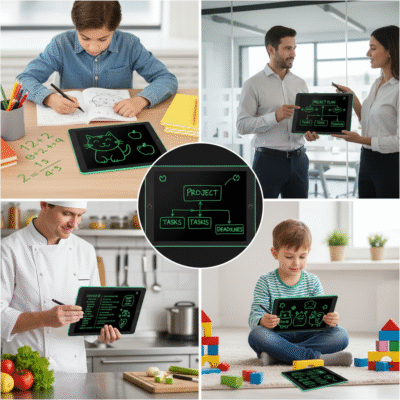 lcd writing tablet for children
During my work with stationery brands, I noticed LCD tablets are a top pick for young children, promotional items, and affordable classroom tools. They use a no-power pressure system for drawing. One button erases instantly. There’s no electronic drawing, software, or complex features. Many parents and teachers find this simpler and safer for daily classroom use.
Deep dive: LCD writing tablets in toy, stationery, and educational supply chains
LCD writing tablets fill a gap for safe, simple, and mess-free drawing. These tablets don’t connect to anything and are ready to use right after unpacking. Safety and cost make them popular among education buyers. Here’s a breakdown:
| Aspect |
LCD Writing Tablet |
User Benefit |
| Display |
No traditional screen |
Simple, pressure-based drawing |
| Input method |
Stylus, finger |
Safe for small children |
| Erase method |
One-button reset |
No mess, instantly clean |
| Connection |
None |
Portable, no setup needed |
| Ideal users |
Kids, schools, brands |
Bulk gifting, easy learning, safe |
When I visit clients with large volume needs in supermarkets or schools, I see bulk purchases of LCD tablets. They work well for writing practice, drawing, quick notes, and also support sustainability. Our factory does strict testing to ensure durability for these buyers.
Conclusion
A graphic tablet always needs a computer and has no display; a drawing tablet usually includes a screen and often works standalone. LCD writing tablets are drawing tablets for kids, focused on safety and ease.
