There are so many types of writing pads today that it can be hard to figure out which one is actually the best for your needs. Personal preferences and different use cases only add to the confusion.
The best writing pad depends on your specific needs: for note-taking, the reMarkable 2 excels; for kids and quick doodles, an LCD writing tablet offers simplicity and safety; for digital artists or professionals, the iPad Pro leads. Each has its own strengths.
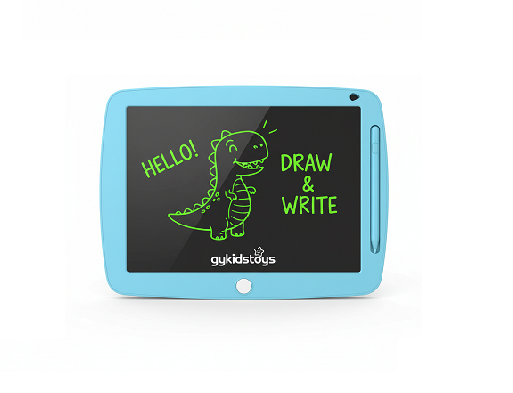 best writing pad
Whenever someone asks “what is the best writing pad,” I start by finding out what they actually want to do. Is it school notes, professional sketches, daily reminders, or children’s drawings? There are options for every task and user. Picking the right one means understanding the differences.
Is the best writing pad digital or paper?
People still debate if paper provides a better feel, or if digital pads are more useful in the long run.
Digital writing pads are more popular today due to their reusability, easy storage, and integration with other devices. Paper pads still appeal to those who love simplicity, texture, and tradition.
 digital vs paper writing pad
I see students and professionals move to digital options because they hate stacks of paper or losing pages. But some writers and artists prefer the smooth feedback of pen on paper. It depends on the person, their work habits, and even their age.
Dive deeper: Choosing between digital and paper writing pads
Let’s compare the two main types:
| Feature |
Digital Writing Pad |
Paper Writing Pad |
| Reusability |
Instant erase or save |
Single use, replace often |
| Portability |
Most are lightweight, slim |
Very portable |
| Storage |
Save thousands of notes |
Bulky stacks over time |
| Cost |
Higher upfront, low long-term |
Low price, repeated purchase |
| Integration |
Easy to share or backup |
Manual copy only |
| Feel |
Smooth, some feel too “glassy” |
Real pen and paper feel |
For eco-friendly users and people who like tech, the digital pad is often the best choice. For gift-giving, paper pads are still a classic.
Which digital writing pad leads for professionals and students?
Many students, teachers, and office workers need a device that can scan, share, edit, and keep their notes safe.
The reMarkable 2 is the best writing pad for distraction-free note-taking, while the iPad Pro leads for those who want flexibility, apps, and creative tools.
 reMarkable 2 and iPad Pro comparison
When I first saw the reMarkable 2 in action, I was impressed by its true “paper-like” screen, ultra-light design, and the fact that it keeps you focused just on notes—no games or emails to pull you away. On the other hand, the iPad Pro has Apple Pencil support and syncs with all your apps, photos, and files. It’s perfect for people who need an all-in-one device.
Dive deeper: Comparing the best digital writing pads
Let’s look at the top models side-by-side:
| Device |
Screen Type |
Main Strength |
Best For |
Limitations |
| reMarkable 2 |
E Ink, paper-like |
Pure notes, focus |
Writers, students |
Limited apps, Black & White |
| iPad Pro |
LCD/Retina |
Versatile, fast app |
Creatives, everyone |
Expensive, can distract |
| Boox Note Air3 |
E Ink Android |
Open system |
Tech team, lawyers |
Less responsive, some lag |
For most professionals who hate distractions but want a feeling close to paper, reMarkable 2 wins. For those who need to draw, edit, or run apps, iPad Pro is best. Having used both in my work, it comes down to whether you want simple notes or a full mobile studio.
What is the best writing pad for kids and classrooms?
Kids and schools have special needs—tools must be simple, safe, durable, and easy to clean or reset.
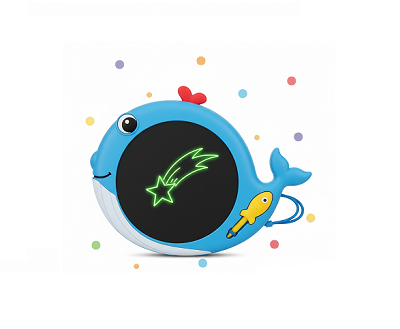
The best writing pad for children is the LCD writing tablet. It’s portable, safe, mess-free, and erases with a single press. Brands like Boogie Board and gykidstoys offer reliable options.
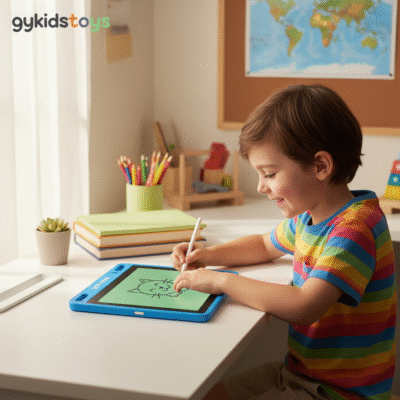 lcd writing tablet for kids
I see teachers and parents regularly choosing LCD writing tablets for group activities and homework. There’s no ink, no sharp tools, no need for digital setup, and no risk of erasing important files by mistake. It’s also the most cost-effective way to give every child a writing surface of their own.
Dive deeper: What makes the best kids’ writing pad?
Let’s break down what matters for classroom or home use:
| Feature |
LCD Writing Tablet |
Paper Pad |
iPad |
| Erase method |
One button, instant |
Manual eraser |
Software delete |
| Child safety |
No small parts, durable |
Can rip or tear |
Needs supervision |
| Setup |
None |
None |
Password/apps setup |
| Cost |
Most affordable |
Mid/low |
Highest |
| Customization |
Colors, sizes, themes |
Depends on design |
App-based |
A good LCD tablet lasts over 100,000 erase cycles and stays clean, with no dust or ink to worry about. Many of my clients order them in bulk for kindergartens and events, happy with the safety and durability.
Conclusion
The “best” writing pad comes down to your needs: iPad Pro for flexibility, reMarkable 2 for focus, and LCD writing tablets for children and classrooms. No one pad fits every case.
