Parents and teachers often search for new tools, but worry about hidden flaws that might make learning or creative play harder in real life.
LCD writing tablets have several downsides: limited color and detail, lack of save function, no pressure sensitivity, dependence on battery power, and basic design that restricts advanced drawing or sharing.
 disadvantages of lcd writing tablets
I first noticed these drawbacks when my daughter tried to draw her favorite cartoon character and found the lines too thin and the image erased with one click. For families or classrooms expecting a full-featured device, these simple pads may disappoint. Keep reading if you want to understand what makes these tablets an imperfect choice for some users.
Why can’t LCD writing tablets save or share drawings?
Some people wish to store or send what kids create, but most LCD tablets erase everything with no save or export.
LCD writing tablets have no built-in memory or sharing features. Once erased, the content is gone forever unless you snap a quick photo with your phone.
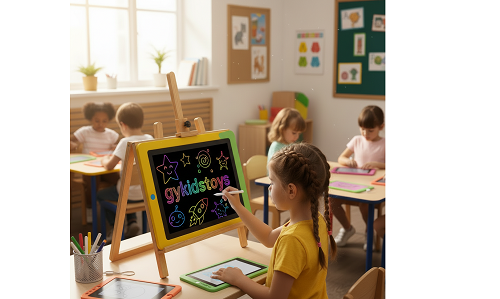 lcd tablet no save
I remember one time when my child wrote a lovely birthday message and pressed erase by accident—there was no way to bring it back. Most models are not meant to archive work or send files. I took pictures with my phone to save special moments, but this is an extra step and not convenient for daily use.
Table: LCD Writing Tablet Save/Share Options
| Feature |
LCD Writing Tablet |
Alternatives |
| Save drawings |
No built-in memory |
Use camera photo |
| Export/share |
Not available |
App-connected tablet |
| Undo/Redo |
None |
Some digital tablets |
| Cloud sync |
Not supported |
Advanced smart pads |
For older kids or teachers who need to keep records, a basic LCD writing tablet may fall short.
Why do LCD writing tablets have limited drawing quality?
Art-loving children expect fine lines, colors, or lifelike doodles, but LCD tablets stick to basic black or green lines.
Most LCD writing tablets only offer one-line thickness and one color, with no shading, gradients, or pressure variation. Artistic or detailed design is limited to very simple sketches.
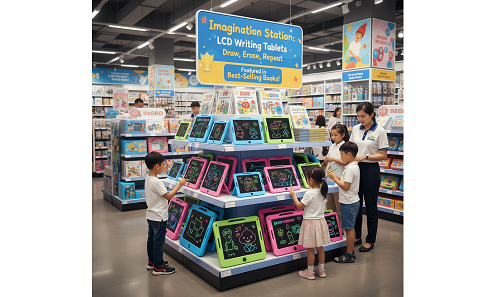 limited draw lcd tablet
When my niece tried to draw flowers and wanted lighter or bolder lines, her tablet could only produce medium, flat black marks. These tablets make drawing fast and fun, but do not rival even basic paper and crayons when it comes to creative flexibility.
Table: Drawing Quality Limitations
| Option |
LCD Writing Tablet |
Improved Alternatives |
| Line Thickness |
One level, fixed |
Multi-level smart pad |
| Color |
Black/green/grey only |
Color LCD tablet |
| Erase Function |
Full screen |
Segment erase (rare) |
| Detail Level |
Limited, basic shapes |
Pen tablet or paper |
Kids who want shading, coloring, or subtle details will have better luck with other electronic sketchpads or classic drawing supplies.
Are there other downsides like battery dependence or screen life?
Some users worry about batteries running dry mid-use, or whether screens may fade or break with time.
Most LCD writing tablets rely on button cell batteries for erasing. If a battery dies, the erase function stops. Repeated heavy use, dropping, or heat can sometimes cause screen wear or accidental damage.
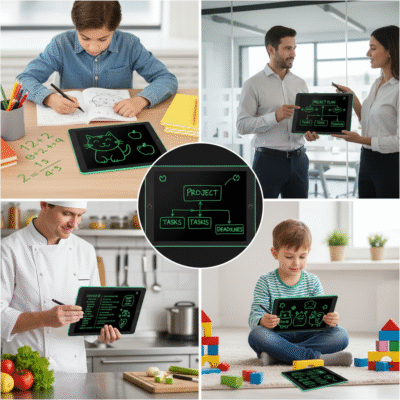 lcd tablet battery problems
I often checked and replaced batteries after a few months. The tablet always worked for writing, but if the battery was out, I could not erase and had to swap in a new one. My kid also left her tablet near a window in summer, which left a faint mark after a few hours in sunlight.
Table: Battery and Wear Concerns
| Issue |
LCD Tablet Problem |
Solution / Impact |
| Battery dies |
Erase doesn't work |
Replace, buy in bulk |
| Tablet dropped |
May crack/screen fade |
Choose durable model |
| Sunlight exposure |
Warps, leaves marks |
Store away from heat |
| Screen scratches |
Visible lines |
Use correct stylus only |
Most tablets are sturdy but not indestructible. Maintenance is simple, but still needed at home and in class.
Conclusion
LCD writing tablets are easy and eco-friendly, but they lack saving, color, drawing control, and rely on batteries, making them best for quick drafts—not serious art or record-keeping.
