Choosing the right drawing tablet can get complicated when you realize some work by themselves and others need a computer. It can be annoying if you want something simple for art at home or for children.
Some drawing tablets have built-in screens and run apps so you can use them without a computer. Examples include iPad Pro and certain Android tablets.
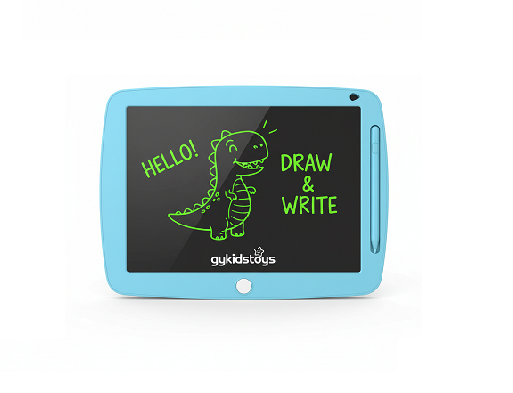 drawing tablet without computer
When I started setting up workshops for kids, I found many parents and teachers wanted the freedom to use a tablet anywhere, whether sitting on the sofa or traveling. Their main question was always whether they could simply turn on the tablet and create, without needing to worry about cables, software installs, or tech skills. Making the right choice here solves a lot of problems.
What types of drawing tablets work without a computer?
Everyone asks for tablets that feel like paper but also offer smart features.
Standalone drawing tablets, such as iPads, Android tablets with stylus support, and some Windows tablets, run art apps right on the device. You only need the tablet and a stylus to start creating.
 standalone drawing tablet choices
When I look for new classroom solutions or personal tech, tablets like the Apple iPad Pro with Apple Pencil and Samsung Galaxy Tab S series lead the market. They come with touch screens, high precision, and a huge library of drawing apps—Procreate, Sketchbook, and others. There are even Windows tablets like Surface Pro, which run professional desktop programs. No extra computer needed.
Table: Comparison of tablet types for standalone use
| Tablet Type |
Needs a Computer? |
Main Benefits |
Best For |
| iPad Pro / Galaxy Tab / Surface |
No |
Portable, apps, touchscreen |
Artists, students, educators |
| Tablet |
Yes |
Big screen, pro features |
Studios, design professionals |
| LCD Writing Tablet (kids) |
No |
Super simple, safe, instant erase |
Young kids, classrooms, notes |
Standalone tablets are light, easy to carry, and great for sketching outdoors or on the go. You don’t have to fight with extra settings or worry if your laptop or PC breaks. This freedom helps children and hobby artists and also cuts setup times for group events.
Do professional drawing display tablets need a computer?
People often believe all tablets with screens work like iPads. This is not always true—some high-end models need a computer for power and for running software.
Professional drawing display tablets, must connect to a computer. Their screens just show what’s on your PC, letting you use full creative software but not work independently.
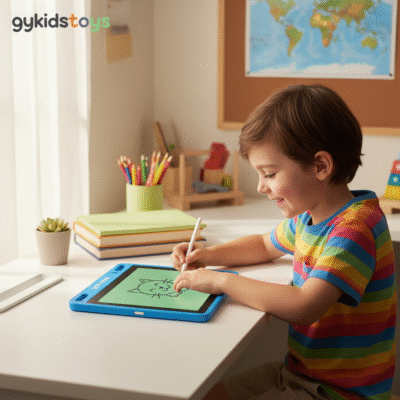 drawing display tablet needing PC
I remember ordering tablet for a local art studio and getting calls asking why nothing happened when plugging them in alone. Users quickly learned you need both a computer and specific software—Photoshop, Illustrator, etc.—to unlock the full tablet’s power. Without a PC, the tablet is just a blank screen.
Table: Key facts about display tablets
This setup enables powerful creation tools especially for print, animation, and commercial projects. But for beginners or kids, it may add cost and complexity.
What about LCD writing tablets?
School suppliers, parents, and teachers sometimes use the term drawing tablet when talking about LCD writing tablets for kids. These are very different from digital art devices.
LCD writing tablets do not need computers at all. They use pressure-sensitive surfaces; drawing and erasing happens instantly with no electronics, apps, or connections.
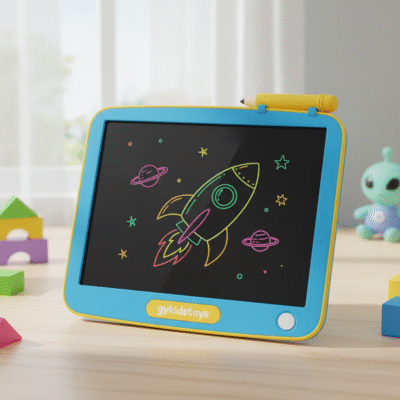 lcd writing tablet without computer
I often recommend LCD writing tablets for young children or bulk classroom use, especially when teachers want zero-tech, battery-free solutions without the risk of distractions or accidents. One button clears the board, ready for new ideas instantly.
Table: LCD writing tablet basics
| LCD Tablet Feature |
With Computer? |
How Kids Use It? |
Key Benefits |
| Pressure drawing |
Not needed |
Doodle, write, erase |
Easy, safe, no mess |
| Erase function |
One button |
Erase whole screen |
Fast, always ready |
| Connectivity |
None |
Portable anywhere |
No worries, no setup |
If you want simple, instant writing or drawing without any computer, LCD writing tablets are best. For more advanced digital art, choose iPad Pro, Galaxy Tab, or Surface.
Conclusion
Some drawing tablets, like iPad Pro and LCD writing tablets, work without a computer.
