You might think any tablet can work for drawing, but using the wrong device can lead to poor lines, lag, or wasted money.
Most tablets can be used for drawing if they support pen input and drawing apps, but only some offer the pressure sensitivity, accuracy, and compatibility artists and students expect from a true drawing tablet.
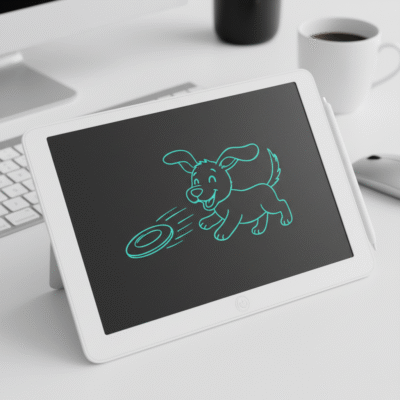 can I use any tablet as a drawing tablet
I have tried sketching on many tablets—some worked well, while others felt frustrating and slow. Picking the right tool can save you time, money, and creative energy. Let’s look closer at what makes a real drawing tablet and how common options stack up for creative work.
What features make a regular tablet good for drawing?
Many people hope their tablet at home can double as a digital sketchbook. It’s easy to feel overwhelmed by so many brands and models on the market.
A good drawing tablet needs a responsive touchscreen, support for a pressure-sensitive pen, and compatibility with popular drawing software or apps.
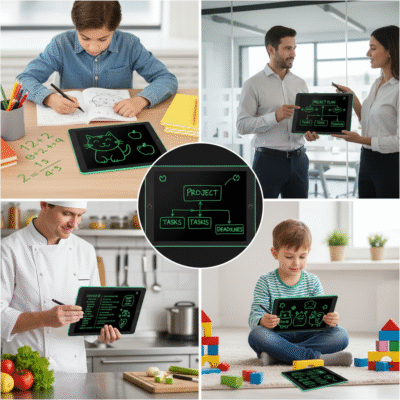 drawing tablet features
Key Features to Look For
When I test tablets for drawing, I focus on three areas: the screen, the pen, and the app support. Not all tablets have all three. A pressure-sensitive stylus is key for drawing lines that look natural, with thick and thin strokes as you press harder or softer. Many regular tablets come with only basic touch—fine for browsing or writing notes, but not enough for serious art.
| Feature |
Importance |
Common Tablets That Have It |
| Pressure sensitivity |
Natural brush effects |
iPad (with Pencil), Galaxy Tab |
| Palm rejection |
Ignore stray touches |
iPad, Surface, Galaxy Tab |
| Pen tilt support |
Shading, brush nuance |
iPad Pro, Surface Pro |
| Drawing app support |
Professional workflow |
iPad, Android tablets, Surface |
The most important thing is the pen technology. If your tablet does not come with a quality pen, you often cannot match the feel or brush control of a real artist’s tablet.
Can I turn my iPad or Android tablet into a true drawing tablet?
Many users already own an iPad or Android tablet and hope to use it for drawing instead of buying something new. The answer often depends on your model and the accessories you can use.
iPads (especially with Apple Pencil) and premium Android tablets (like Samsung Galaxy Tab with S Pen) are well-suited for drawing because they support pressure-sensitive pens and strong drawing apps.
 using iPad or Android for drawing
Unlocking Drawing Power
When I use my iPad with an Apple Pencil, I find it comes close to a pro-level drawing experience. Programs like Procreate or Adobe Fresco run smoothly, and the pen responds to pressure and tilt. The same is true for some premium Android tablets with an S Pen. These devices are made to create art. They give clear lines, smooth touch, and let you color, paint, and erase like a true digital canvas.
Here is what works well:
| Tablet Model |
Pen Support |
Drawing Apps Available |
Notes |
| iPad (2018+) |
Apple Pencil |
Procreate, Fresco, etc |
Best choice for Apple users |
| Samsung Galaxy Tab S6+ |
S Pen |
Krita, Autodesk Sketch |
Strong performer on Android |
| Microsoft Surface (Go/Pro) |
Surface Pen |
Photoshop, Sketchbook |
Good for Windows-based drawing |
Cheaper tablets sometimes lose palm rejection or pressure, making art less natural. But for basic sketching, note-taking, or graphic design on the go, modern consumer tablets do the job well.
What are the differences between graphic tablets and regular tablets for digital drawing?
Many people mix up “drawing tablets” (no display, used with computers), “pen displays” , and tablets like the iPad that are also used for browsing or games.
Drawing tablets connect to a computer and use a special stylus. Regular tablets are stand-alone devices with built-in screens and often rely on extra accessories for full drawing features.
 drawing tablet versus regular tablet
Detail Breakdown of Tablet Types
I use both types and see their strengths. With a dedicated drawing tablet , you draw on a plain surface while seeing the result on your PC or Mac screen. These are reliable, affordable, and have high pressure sensitivity but must always be plugged into a computer. Pen displays, let you draw straight on the screen, which feels more natural and direct.
iPads and Samsung tablets sit in the middle. They are portable, run on built-in batteries, and handle drawing apps themselves. With the right pen, they can feel just like a pro drawing setup—plus you do not need a computer for basic art.
| Device Type |
Screen |
Needs Computer |
Best For |
Example |
| Graphic Tablet |
No |
Yes |
Beginners, students |
XPPen |
| Pen Display Tablet |
Yes |
Yes |
Pros, designers |
|
| Stand-alone Tablet |
Yes |
No |
Drawing, web, apps |
iPad, Galaxy Tab |
If you want full control and advanced features, a dedicated drawing tablet or premium iPad is the way to go. For notes or casual sketching, most modern tablets will work.
Conclusion
Any tablet with a responsive pen and strong drawing apps can be used for digital art, but not all offer the quality, pressure, or comfort that a true drawing tablet provides.
