Starting digital art can feel intimidating. Cost, setup, and learning curves often scare beginners, yet drawing tablets may offer the simplest path to creative growth.
Drawing tablets are worth it for beginners because they make it easier to sketch, shade, and edit work. Tablets give instant feedback, plenty of undo options, and software support that helps users improve faster than with classic drawing tools.
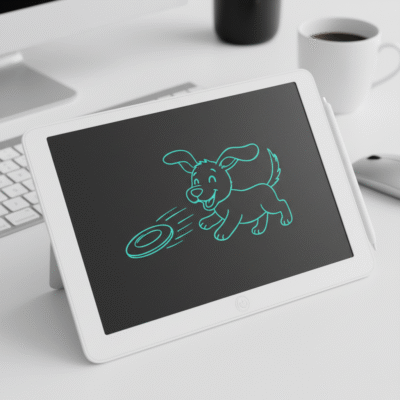 drawing tablets for beginners
When I first tried a drawing tablet, I was afraid it would be complicated and too advanced for my skills. I found the experience easier than expected. The stylus acted like a normal pen. Mistakes disappeared with one click. Free tutorials online explained all the functions. If you want to practice art at home or school, tablets remove barriers and help you learn quickly.
What benefits do drawing tablets offer for beginners?
If you are new, you may worry that drawing tablets are hard to use or too technical. The reality is simple and welcoming.
Drawing tablets provide more control over lines, smooth navigation, fast edits, and access to thousands of brushes and effects. They are lightweight and allow beginners to save and share artwork instantly, encouraging more practice and experimentation.
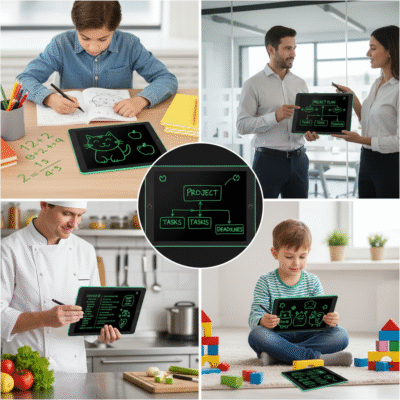 new artist using drawing tablet
The ability to undo mistakes is huge for new artists. You experiment without fear. Lines become smoother as you adjust pressure sensitivity, which most basic tablets offer. Built-in shortcut keys simplify common actions, making learning more direct. Digital drawing also allows layers, meaning you build up work step by step. You save projects automatically. Maintenance is easy—no more running out of paper or ink.
| Beginner Benefit |
Details |
Value Added |
| Undo Function |
Fix errors quickly |
Less frustration |
| Pen Pressure Control |
Change thickness easily |
Better control |
| Variety of Brushes |
Try new tools with software |
Creative freedom |
| Light & Portable |
Carry anywhere |
Flexible learning |
| Instant Save/Share |
Export in many formats |
Show results |
I encourage beginners to start with free or budget apps, as most tablets support these. Progress is visible fast. Feedback comes from friends or online groups.
Do most beginners find tablets confusing or helpful?
People ask if tablets are harder than pencil and paper, or if they require computer skills.
Most beginners find drawing tablets helpful rather than confusing. Manufacturers design tablets to be plug-and-play, with guided setup processes and software that walks users through each step. Tutorials and online communities make it easy to learn no matter your age or experience.
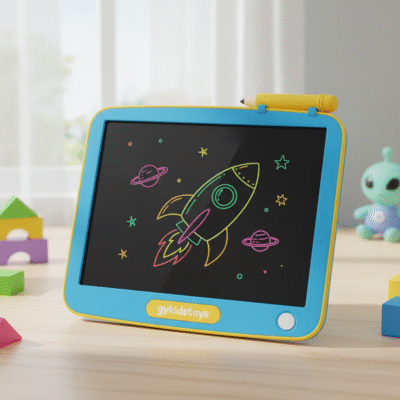 beginner-friendly tablet setup
Setup for most tablets takes minutes. I plugged in my tablet and followed on-screen instructions. Drivers install automatically. Drawing software like Krita or ArtRage have simple interfaces and beginner templates. Kids, teens, and adults pick up basic skills quickly. Online videos and forums answer questions fast. If any problem appears, customer service from main brands is responsive.
| User Concern |
Tablet Solution |
Result |
| Complicated Setup |
Plug-and-play design |
Easy installation |
| Learning Curve |
Built-in guides, online help |
Faster mastery |
| Software Confusion |
Simple beginner programs |
Lower barriers |
| Stylus Handling |
Battery-free, lightweight |
Feels natural |
Starting is easier than most expect. You learn at your own pace, usually spending more time creating than troubleshooting.
How does a tablet improve beginner skills compared to classic art tools?
I wanted to know if switching from paper to tablet would help me improve faster.
Drawing tablets boost beginner skills by providing access to digital tools that improve line accuracy, color testing, and error correction. Rapid feedback and learning analytics help users track progress and try new styles in a safe, reusable environment.
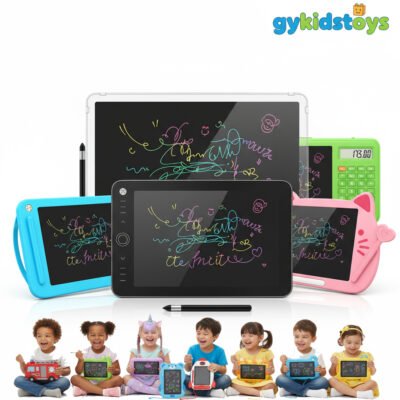 drawing tablet skill improvement
When practicing on a tablet, I found myself experimenting more. I used layers for rough sketches, then refined each part. Mistakes vanished with a tap, so my learning speed doubled. Over time, I noticed improved line confidence and shading techniques. The programs often suggest tips or tricks as you work, prompting growth. Digital tools like grids, rulers, and symmetry assist with perspective and anatomy. You test color blends without wasting paint or paper.
| Classic Tool |
Drawing Tablet |
Beginner Skill Impact |
| Limited layers |
Unlimited layers |
Builds complexity |
| Permanent mistakes |
Undo/redo |
More risk-taking |
| Manual measurements |
On-screen rulers/grids |
Better accuracy |
| One brush type |
Multiple brushes/effects |
Explore techniques |
| Messy cleanup |
Instant erase/save |
Focus on learning |
I sometimes return to paper, but repeated tablet use makes me a better and more confident artist. Beginners often advance more quickly using digital drawing.
Conclusion
Drawing tablets are a smart buy for beginners, offering easy setup, powerful tools, and quick progress in artistic skills with less hassle than traditional art methods.
